
For your business

Lietuvių

Support, service and assistance

Write to usserve@serve.lt
Let's connectTeamViewerAnyDesk
Working hoursMon – Fri8 AM – 5 PM

Installation process

Fast system installation, training and ongoing assistance so you can work efficiently.

The installation process is carried out in stages, so the system is mastered quickly and lets you start working efficiently right away.

We will train your staff and help you smoothly integrate your business processes into the system.

Consultations

Once the system is launched, we provide ongoing support and advise your staff on all questions about using the system.

Consultations are provided by phone and email, and if needed we connect to your computer remotely using TeamViewer or AnyDesk software.
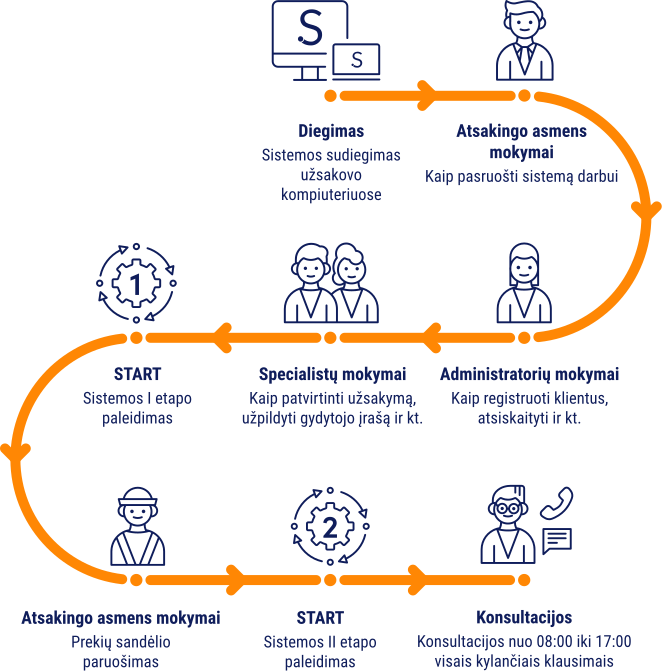
Diegimo procesas

Service and additional services pricing

Prices exclude VAT

With a “Support / Service” agreement
Consultingfree of charge
Staff trainingfree of charge
Installation of the “ServePro” (desktop) systemfree of charge
Without a “Support / Service” agreement
Consulting1 h / €160
Staff training1 h / €120
Installation of the “ServePro” (desktop) system1 h / €120
Additional services
Consulting outside working hours1 h / €100
Repeated staff training1 h / €80
Repeated installation of the “ServePro” (desktop) system1 h / €80
Troubleshooting of non-system issues1 h / €140

Consultations on choosing equipment

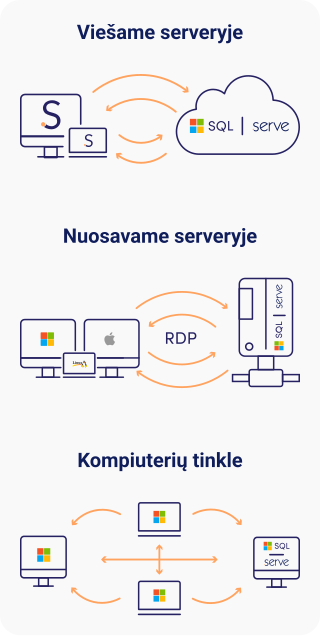
The “ServePro” desktop system is installed in your own or legally managed IT infrastructure (computers, server).

We will help you choose and purchase the equipment that best fits your needs and performs most efficiently.

We will also advise you on how to optimally connect several remote workplaces and branches using one shared database.
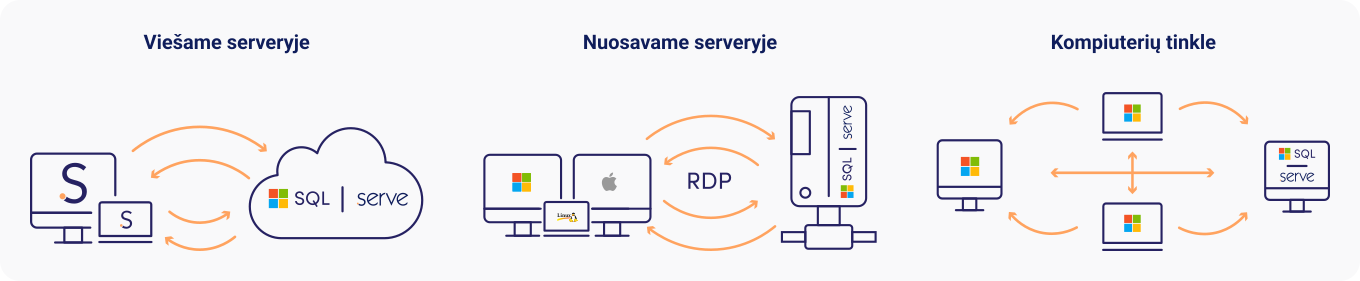
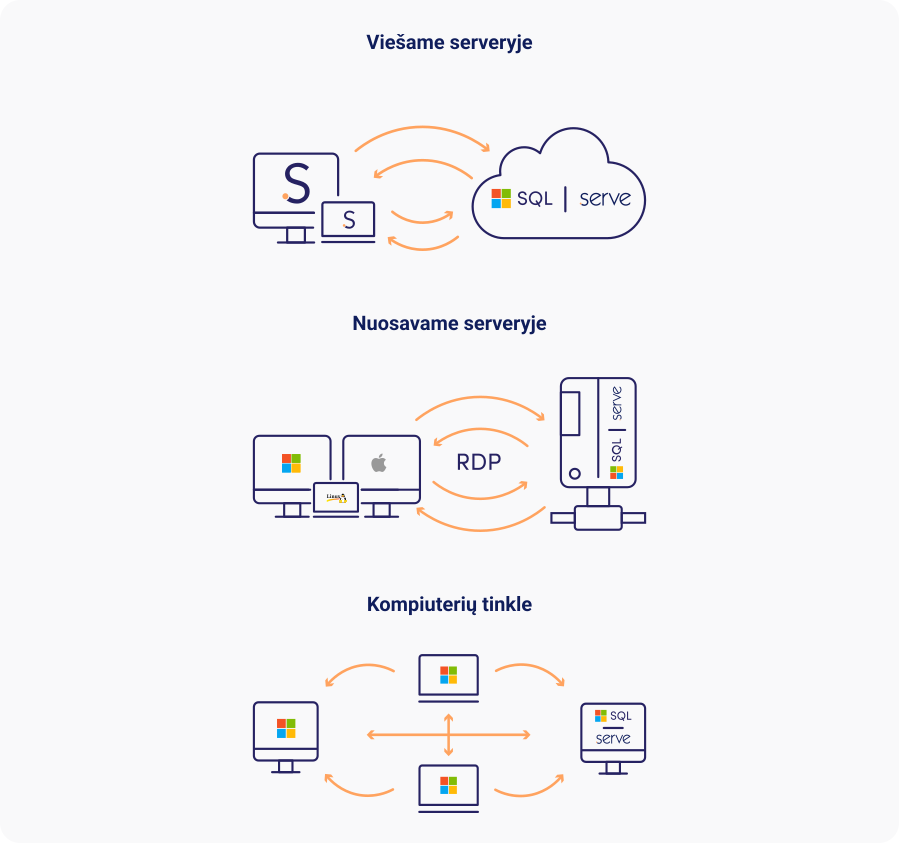
All possible installation methods are available

Galimi diegimo būdai: viešame serveryje, nuosavame serveryje, kompiuterių tinkle

Technical requirements for equipment

Operating systemMicrosoft Windows OS: 11 / 2012 / 2012 R2 / 2016 / 2019 / 2020 / 2022 / 2025
ProcessorIntel, at least 3 GHz (1 workstation / At least 2 GHz)
RAM. For ServePro and SQL processesIf the database server has no terminal users: at least 6 GB free. For terminal users: ~0.5–1 GB free per user. Per workstation / At least 2 GB free.
DiskSSD (RAID), at least 15 GB free (plan a separate external drive for archiving)
MonitorResolution at least 1024×768 px
Local network100 Mbps. WAN not recommended
Internet connectionHigh-speed

Integrations

SMS notifications
(using the “Smart booking calendar” module)
“TCG Telecom”, www.tcg.lt. marius@tcg.lt, +370 659 14730
Doctor's record signing
(using the “E.sveikata interface” module)
“Docobit”, www.dokobit.com sales@dokobit.com, +370 618 29004
Smart cash register (i.EKA)
(using the “Cash register” module)
“Empirija”, www.empirija.lt, Vilnius: vilnius@empirija.lt, +370 5 2483458, Kaunas: info@empirija.lt, +370 37 313395

ServePro system updates

Module
Updated feature
Location in the system
Update
Patient relationship management
New prescription form. APPROVED by Order No. 112 of the Minister of Health of the Republic of Lithuania of 8 March 2002 (as amended by Order No. V-700 of 29 July 2025).
Prescriptions
3.3.126.0
Patient relationship management
New prescription form. APPROVED by Order No. 112 of the Minister of Health of the Republic of Lithuania of 8 March 2002 (as amended by Order No. V-700 of 29 July 2025).
Prescriptions
3.3.126.0
Patient relationship management
New prescription form. APPROVED by Order No. 112 of the Minister of Health of the Republic of Lithuania of 8 March 2002 (as amended by Order No. V-700 of 29 July 2025).
Prescriptions
3.3.126.0